As an Amazon Associate, we earn from qualifying purchases. Some links on this site are affiliate links at no extra cost to you. Our recommendations are based on thorough research and editorial judgment.


Smart Space Heaters With Voice Control: How To Use

Smart space heaters with voice control offer convenient heating solutions. To use them, start by setting up the heater on a stable surface and plugging it into a wall outlet. Next, connect the heater to Wi-Fi using the manufacturer’s app. Link the smart heater to a device like Amazon Alexa or Google Assistant for voice commands. Users can adjust temperatures, set timers, and activate safety features easily. For further details on operation and troubleshooting, more information is available.
Key Takeaways
- Set up your smart heater by placing it on a stable surface and plugging it directly into a 120V outlet.
- Connect the heater to Wi-Fi using the manufacturer’s app and ensure your smartphone is on a 2.4 GHz network.
- Enable pairing mode on the heater, then add it in your smart assistant app for voice control integration.
- Assign unique names to each heater in the app for easy voice command recognition and group them by room.
- Use voice commands to adjust the temperature settings, select modes, and activate timers for automated heating management.
Understanding Smart Space Heaters
You may be interested


Best Heater For Living Spaces: How To Choose
November 2, 2025

Cozy Reading Nook Ideas With Heated Accessories
November 2, 2025
Smart space heaters represent a practical solution for localized heating needs within a home. These devices utilize smart heater technology, enabling easy control through Wi-Fi and mobile apps. Unlike traditional heating systems, smart space heaters are portable or wall-mounted, allowing users to focus heating efforts on specific rooms without professional installation.
Key features include:
- Energy Saving: Many models have ECO modes, which adjust power output for efficiency.
- Customization: Users can set schedules and monitor energy use in real time.
- Safety: Equipped with overheat protection and tip-over switches, they guarantee safe operation.
With voice control capability through platforms like Alexa and Google Assistant, smart space heaters offer convenience and accessibility for all users. Additionally, infrared technology allows for effective warming by heating objects directly rather than just air.
Recommended Products

【Smart Control】Note: Only Support 2.4G Wi-Fi. Wi-Fi remote control and voice control create a convenient life! Space heaters for indoor use has a 12 hour timer function, schedule room heating hours to match your routine. You can access electric heater from anywhere through the Havaworks app, or even voice commands through Alexa and Google Home to control space heaters for indoor use. MORENTO space heaters for indoor use, precise heat and comfort. MORENTO electric heater bring warmth to your life

Smart App and Voice Control: This electric space heater supports remote control through the Havaworks app and is compatible with Alexa and Google Home, enabling voice commands. Equipped with a 12-hour timer, the heater lets you schedule heating sessipns based on daily routines. Its clear LED display shows real-time temperature at a glance, so you can monitor the space heater status effortlessly. Note: Only works with 2.4GHz WiFi
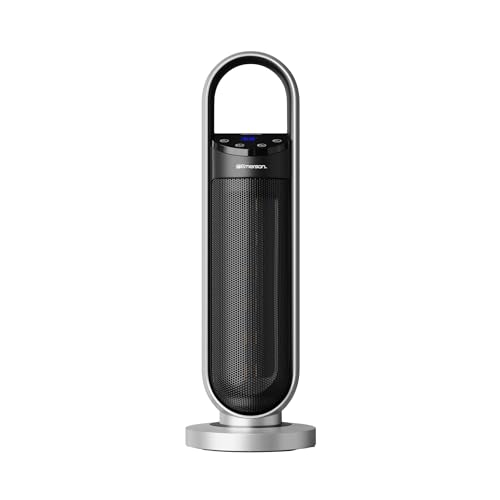
🔊 Offline Voice Control – True Hands-Free Operation. Enjoy effortless control with a voice control heater that responds instantly to commands. This hands-free heater works as an intuitive talking heater, while operating as a heater without app limitations for simple, private use.
Setting Up Your Smart Space Heater
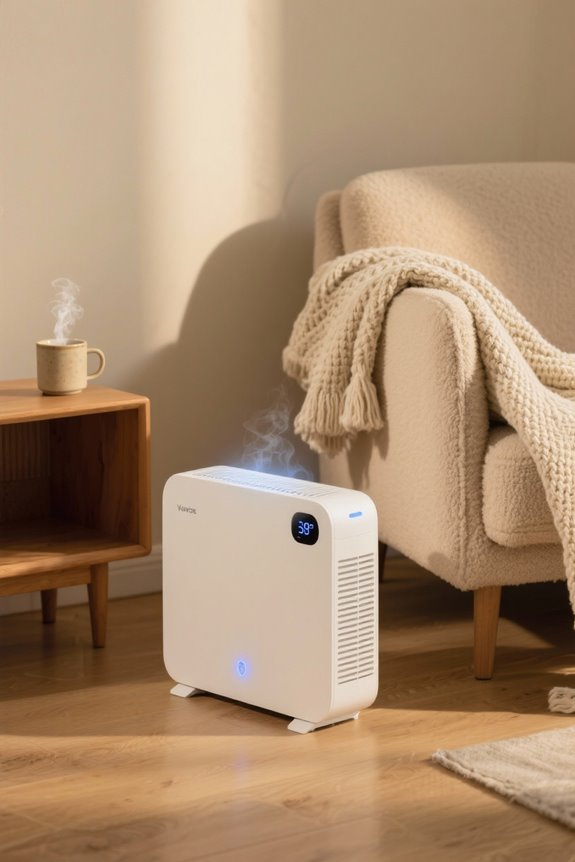
Setting up a smart space heater correctly is important for functionality and safety. To guarantee best placement, remove all packaging materials before installation. The heater should be placed on a firm, flat surface, at least three feet away from walls and combustibles. Avoid using extension cords; instead, plug the heater directly into a 120V wall outlet, as this prevents overheating.
Here are some installation tips:
- Confirm the heater is upright and stable to avoid tip-over shutdowns.
- For wall-mounted models, use appropriate tools like an electric drill and follow clearance requirements.
- Always verify that the power indicator lights up, indicating the heater is operational. Additionally, ensure that your smart heater is equipped with safety features to enhance its reliability during use.
Following these steps can enhance safety and performance.
Recommended Products

FAST AND EFFICIENT HEATING – This 1500W PTC ceramic space heater is designed to heat up your space quickly and evenly. Ideal space heaters for indoor use and large room settings, it delivers far-reaching heat to ensure comfort during chilly days.

ETL-Certified Safety: Made of V0 flame-retardant materials with multiple safety features including built-in smart tip-over protection, overheat protection, 12-hour timer, 24-hour automatic power off without interaction, V0 flame retardant 2-prong plug, and sturdy 6ft long flat power cord. Safe and worry-free all-day use. Safety Reminder: Please do not use with an extension cord. Only plug directly into the wall outlet.

CUSTOMIZABLE HEATING OPTIONS: Choose from three settings to suit your needs - High (1500W), Low (900W), or Fan Only for air circulation without heat.
Connecting to Wi-Fi and Apps

Connecting a smart space heater to Wi-Fi and the accompanying app is crucial for its remote operation and convenience. To start, verify your smartphone is connected to a 2.4 GHz network, as most smart heaters do not support 5 GHz connections. Download the manufacturer’s app, available on both Android and iOS, and create a user account for app compatibility.
Next, place the heater in pairing mode by holding the power button. Use the app to add the device, entering the correct Wi-Fi password when prompted. Stability of the connection relies on strong Wi-Fi security and proper network configuration. If issues arise, verify the Wi-Fi indicator and check the heater’s outlet to confirm robust connection stability. Additionally, ensure that the heater is made from high-quality materials to improve durability and longevity during use.
Recommended Products

FAST AND EFFICIENT HEATING – This 1500W PTC ceramic space heater is designed to heat up your space quickly and evenly. Ideal space heaters for indoor use and large room settings, it delivers far-reaching heat to ensure comfort during chilly days.

Powerful Performance: Thanks to the PTC heating system and optimized airflow design, the DREO wall heater delivers powerful warmth with a strong 11.5 ft/s airflow and low 28 dB noise level. The 30° manual oscillation allows you to direct heat precisely, ensuring every corner is cozy

Unbreakable Safety, Upgraded: Enjoy a cozier and comfortable bathroom with this space heater. Its ALCI anti-leakage plug automatically cuts off the power, while the internal and environmental overheat protection helps prevent fire-hazards, plus its air outlet self-correction system avoids malfunctions that could lead to accidents.
Linking Your Smart Assistant
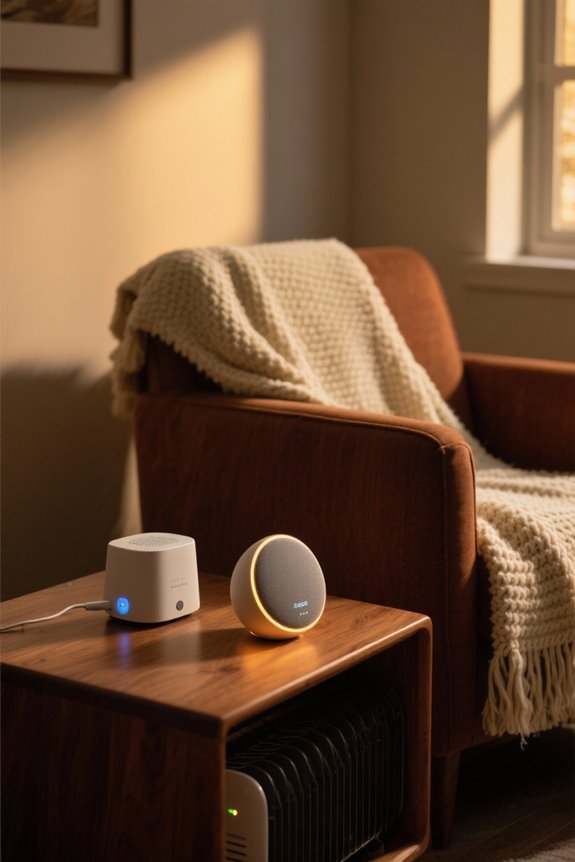
How can users easily link their smart space heaters to popular voice assistants? The process typically involves specific linking protocols. First, users must verify their heater is set up and connected to Wi-Fi. Then, they open the smart assistant app, such as Amazon Alexa or Google Home.
Next, users add a new device linked to the heater’s brand. They follow prompts to sign in to the heater’s app account, granting the necessary permissions. Including safety features such as tip-over protection ensures a secure setup for the smart heater operation.
Voice assistant compatibility varies; some heaters support Amazon Alexa, Google Assistant, and even Apple HomeKit. After linking, users should assign distinct names for each heater and group them by room. This allows for efficient control, enhancing the user experience with their smart heating systems.
Voice Commands for Operation

Voice commands serve as an intuitive method to operate smart space heaters once they are linked to a smart assistant. These commands allow users to turn heaters on or off with simplicity, saying phrases like “Turn on heater” or “Set heater to high.” Voice recognition accuracy plays an essential role in ensuring commands are understood clearly.
Users can adjust timers verbally, say “Set timer for 1 hour” or activate features like oscillation by clearly articulating “Start oscillation.” Additionally, the command response time can vary; quicker responses enhance convenience. Models may include advanced commands for modes and safety features, such as “Enable overheat protection mode,” enhancing usability while maintaining a focus on operational safety and efficiency. Furthermore, safety features such as tip-over protection can be essential for ensuring that the heater operates safely, particularly in homes with children or pets.
Managing Temperature and Settings
Managing temperature and settings in smart space heaters enhances user comfort and energy efficiency. Users can easily control temperature settings, typically ranging from 41°F to 95°F, ensuring personal comfort.
- Temperature Control: Many models offer precision adjustments within a 1°F range, allowing for exact temperature settings.
- Mode Selection: Heaters come with various modes, including high, medium, low, and fan-only options.
These modes allow users to adapt heating according to room size and weather conditions. Temperature settings may be adjusted through physical controls, mobile apps, or voice commands via Alexa or Google Home, offering a customized experience. For effective temperature management, programmable timers enable automatic on/off scheduling, ensuring consistent warmth throughout the day. Additionally, some models feature energy efficiency enhancements that help reduce overall electricity consumption while maintaining desired temperatures.
Exploring ECO Mode and Energy Efficiency
While many space heaters focus primarily on delivering warmth, ECO Mode represents a significant advancement in energy efficiency and functionality. This mode automatically adjusts power consumption based on room temperature sensors, ensuring efficient heating without excess energy use.
- Energy Savings: ECO Mode reduces electricity costs by optimizing wattage levels, commonly ranging from 400W to 1500W.
- Power Modulation: It modulates heat output dynamically, maintaining comfort while preventing overheating.
This capability allows it to be more efficient than traditional heaters that operate at full power. Additionally, models incorporating ECO Mode often feature advanced safety features for precise temperature control. These features combined make ECO Mode a valuable function in smart space heaters, consequently providing meaningful energy efficiency benefits.
Using Timers for Scheduling
Using timers for scheduling is an effective method to optimize heating and enhance energy efficiency in smart space heaters. These devices offer a range of timer options, typically from a few hours up to 24 hours, catering to various daily routines.
Key Timer Benefits:
- Customization: Users can set specific heating times to align with their schedules, ensuring warmth when needed.
- Automation: Timers help maintain consistent temperatures without manual intervention.
- Remote Access: Many models allow timer adjustments through apps or voice commands, adding convenience. Additionally, features such as smart control capabilities can greatly enhance the user experience.
Safety Features to Consider
A variety of safety features are vital when selecting smart space heaters with voice control. Key elements to bear in mind include:
- Overheat Protection: This standard feature detects excessive temperatures and automatically turns off the heater, preventing fires.
- Tip-Over Switch: Most models have a tip-over switch that cuts power if the heater falls, reducing the risk of fire, especially in homes with children or pets.
- Flame-Resistant Construction: Look for models using flame-resistant materials to minimize fire spread if internal malfunctions occur.
- Child Lock: Some heaters feature a child control lock, preventing accidental setting changes, which is essential for households with young children.
- Dual Fuses: This added protection guards against electrical short circuits and surges, contributing to overall safety standards.
User tips involve checking specifications for these significant features to confirm safety. Additionally, many of these heaters ensure compliance with UL listings to validate their reliability and safety in wet environments.
Recommended Products


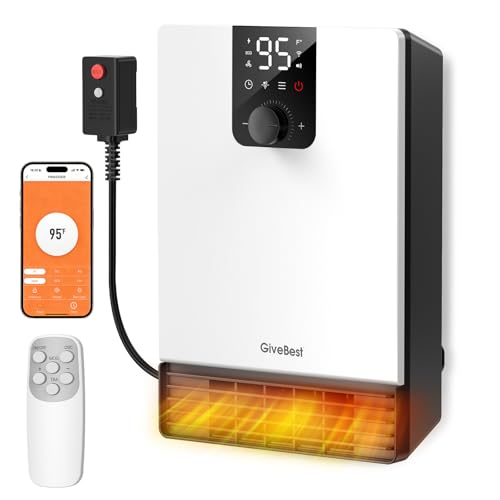
Smart & Convenient Control: GiveBest wall heater is equipped with 1500W PTC heating innovation, swiftly warming your entire area within moments. Enjoy effortless heating with the included remote control and app connectivity, allowing you to adjust temperature and schedules from anywhere, anytime. Perfect for preheating rooms before arriving home.
Troubleshooting Common Issues
What should individuals do when facing common issues with smart space heaters? First, users should check for necessary firmware updates. These updates can help resolve bugs related to power control and sensor malfunction. If the heater continues to overheat or does not turn off, it is vital to discontinue use immediately to prevent overheating risks. Users should also ascertain the heater is placed away from flammable materials and verify that the connected app is official and trusted for reliable control. Additionally, faulty wireless commands can lead to unintended activations, so checking connectivity is vital. Furthermore, ensuring that the heater complies with safety standards can provide additional peace of mind. By following these steps, individuals can effectively troubleshoot common problems and guarantee safe operation of their smart heaters.
Recommended Products

Smart Control: The electric space heater can be remotely controlled through the Havaworks app. It is also compatible with Alexa and Google Home, can be controlled by voice. The space heater has a 12h timer that schedules heating time according to actual needs, making it very intelligent and convenient. The space heater has a LED display that intuitively shows the current temperature, making it easy to monitor the status of the space heater. Note: Only supports 2.4Ghz WiFi

(Wall Mounted Heater Only.) Wi-Fi enabled makes it possible for you to control the temperature from your phone!

Rapid Heating: FLANUR 1500W space heaters for indoor use deliver immediate comfort on chilly days. The PTC ceramic rapid-heating technology of the tower heater generates a powerful blast of warm air in seconds, makes the portable heater could quickly filling rooms up to 300 sq.ft. with comfortable heat. Truly a perfect electric heaters for indoor use large room
Enhancing User Experience
Enhancing the user experience of smart space heaters involves integrating various features that promote convenience, safety, and energy efficiency. Key to this experience are user-friendly interfaces that simplify operation. Heaters equipped with voice control provide hands-free adjustments, allowing users to change settings quickly.
Voice feedback further improves usability, offering audible confirmations for commands.
Additional features that enhance the experience include:
- Multi-mode operation adjusts heating to user preferences.
- Programmable schedules align heating with daily routines.
- Safety features, like overheat protection, ascertain peace of mind.
- Energy-monitoring apps track usage and aid conservation.
These elements combine to create a more efficient and personalized heating experience, guaranteeing comfort whenever it’s needed.
Frequently Asked Questions
Can I Use My Smart Heater Without Wi-Fi?
Yes, a smart heater can still serve simple heating needs sans Wi-Fi. While smart features like voice activation remain unavailable, essential heater settings can be manually managed through onboard controls, ensuring continued comfort regardless of connectivity.
How Do Voice Commands Improve Energy Efficiency?
Voice commands enhance energy efficiency through smart voice integration, allowing precise energy management. Users can optimize heating schedules, minimize waste with automatic shut-off, and receive real-time feedback, ultimately promoting responsible energy consumption while maintaining comfort.
Are There Specific Safety Certifications for Smart Heaters?
Smart heaters glide through a web of safety, adhering to rigorous safety standards and heater regulations like UL, ETL, and CE certifications. These assurances protect users from potential hazards, ensuring warmth without worry.
Can I Monitor Energy Usage Through the App?
Energy usage monitoring through the app is limited. Some smart space heaters offer energy tracking and usage insights, allowing users to manage efficiency, while others lack detailed energy analytics within their dedicated applications.
What Should I Do if My Heater Makes Unusual Noises?
When unusual noises arise, one should pursue heating maintenance through noise troubleshooting. Inspect for loose parts, clean dust accumulation, check belts, and consult professionals if issues persist, ensuring a whisper-quiet, warm embrace amidst winter’s chill.


